

The operating system for field-service teams
Dispatch work, track inventory, GPS-track your fleet, run recurring preventive maintenance, and give your customers real-time access through the Customer Portal — all from one place.
14-day free trial · no credit card · auto-downgrades to the free plan
Built for field-service teams across
Everything in one place
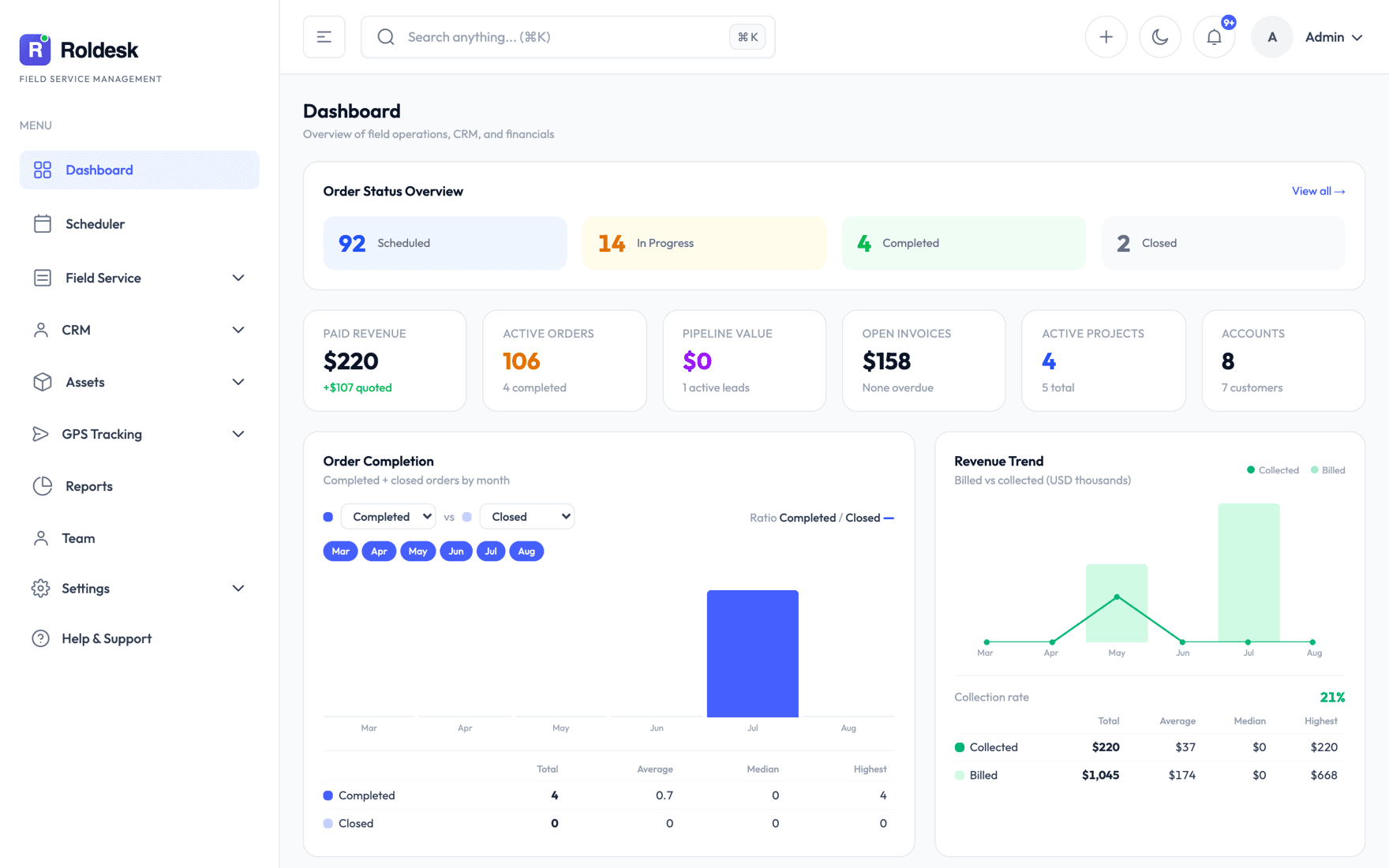
Run the day from one screen
Streamline your company’s workflows with Roldesk’s core features — availability varies by plan.
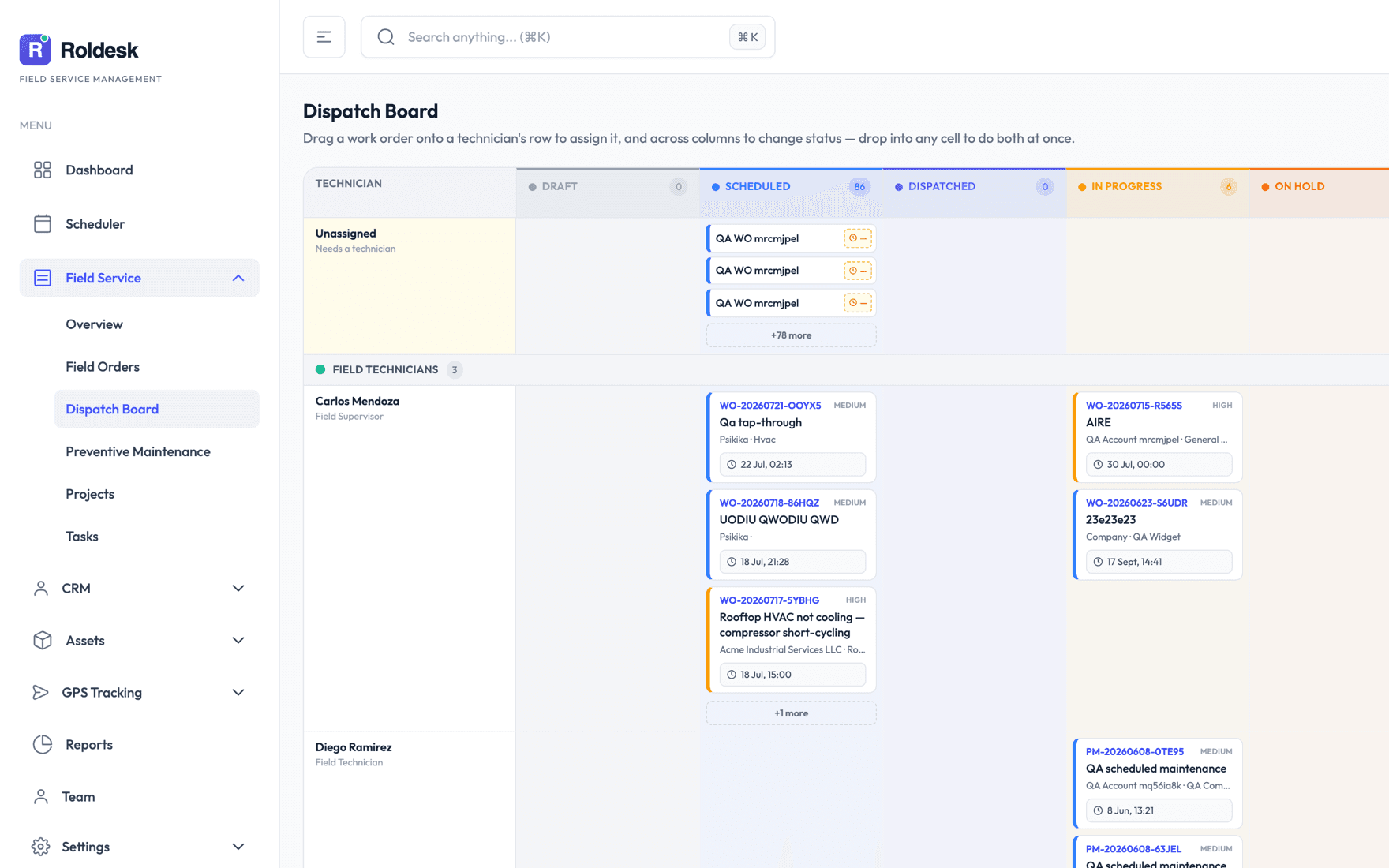
Work-order command center
Create, schedule, assign, and track your technicians’ operations in real time through work orders — the whole cycle, end to end, in one intuitive, seamless backoffice.
Live customer portal
Share live progress with your customers through a single link: job status, assigned technician, estimated times, photos, and much more.
Professional-grade inventory management
Create components and equipment and organize them across warehouses for tighter control over your inventory. Assign items to work orders and get clearer visibility into unit consumption, costs, and final sale prices.
Preventive maintenance
Set the maintenance schedule once and Roldesk automatically generates the recurring work order with every detail in place. One less thing to worry about.
End-to-end billing cycle
Create quotes and share them with your customers through a link. Once approved, they turn automatically into work orders, which — once completed — can be converted into invoices.
A mobile app for your field technicians
An app that gives your technicians every detail about their jobs, with built-in scheduling, clock-in, and work-time tracking, plus geolocation — all in the palm of their hand, even in areas with no coverage.
See it in action
Everything your business needs
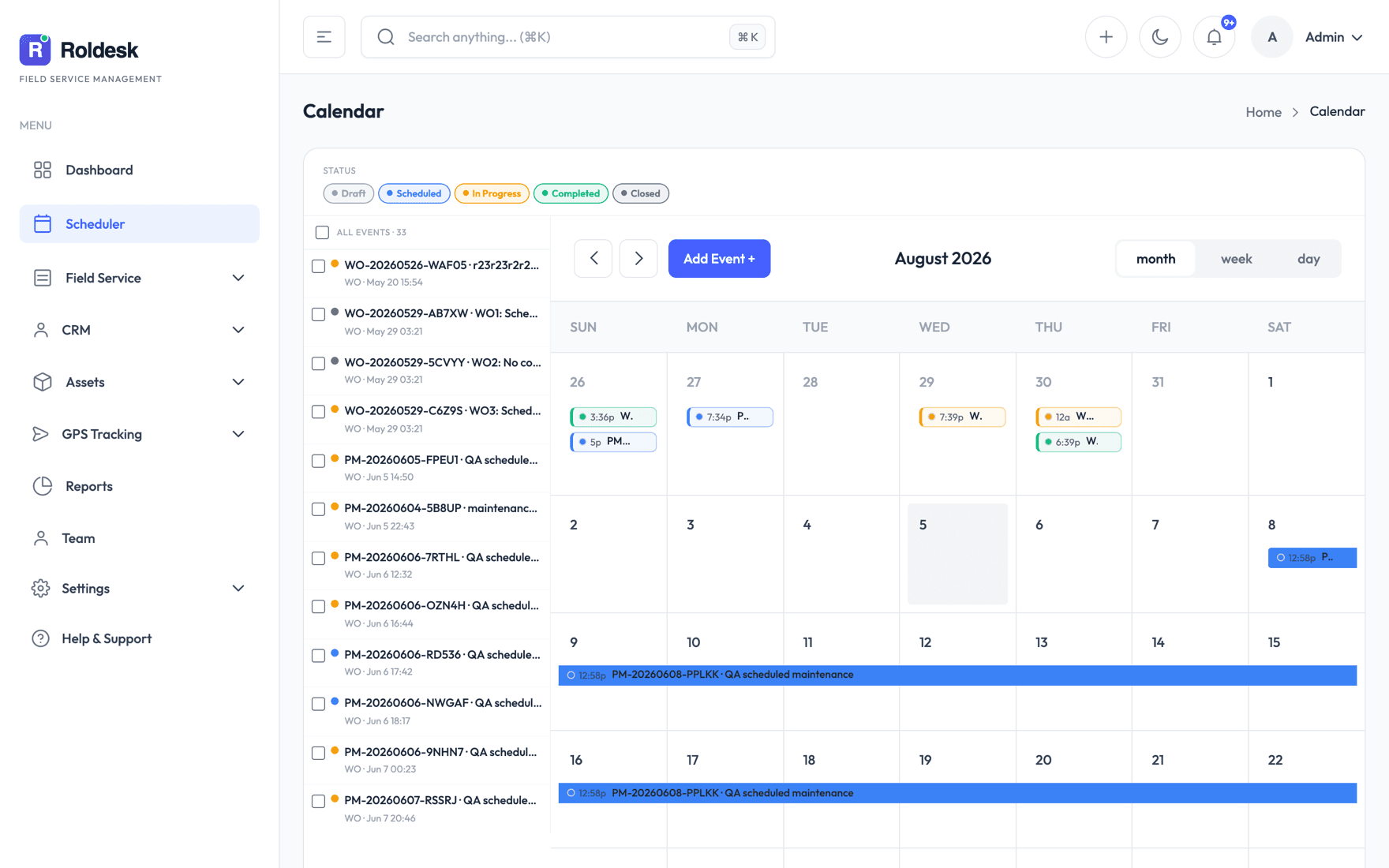
Manage and optimize your business’s day-to-day with the web backoffice — no downloads required.
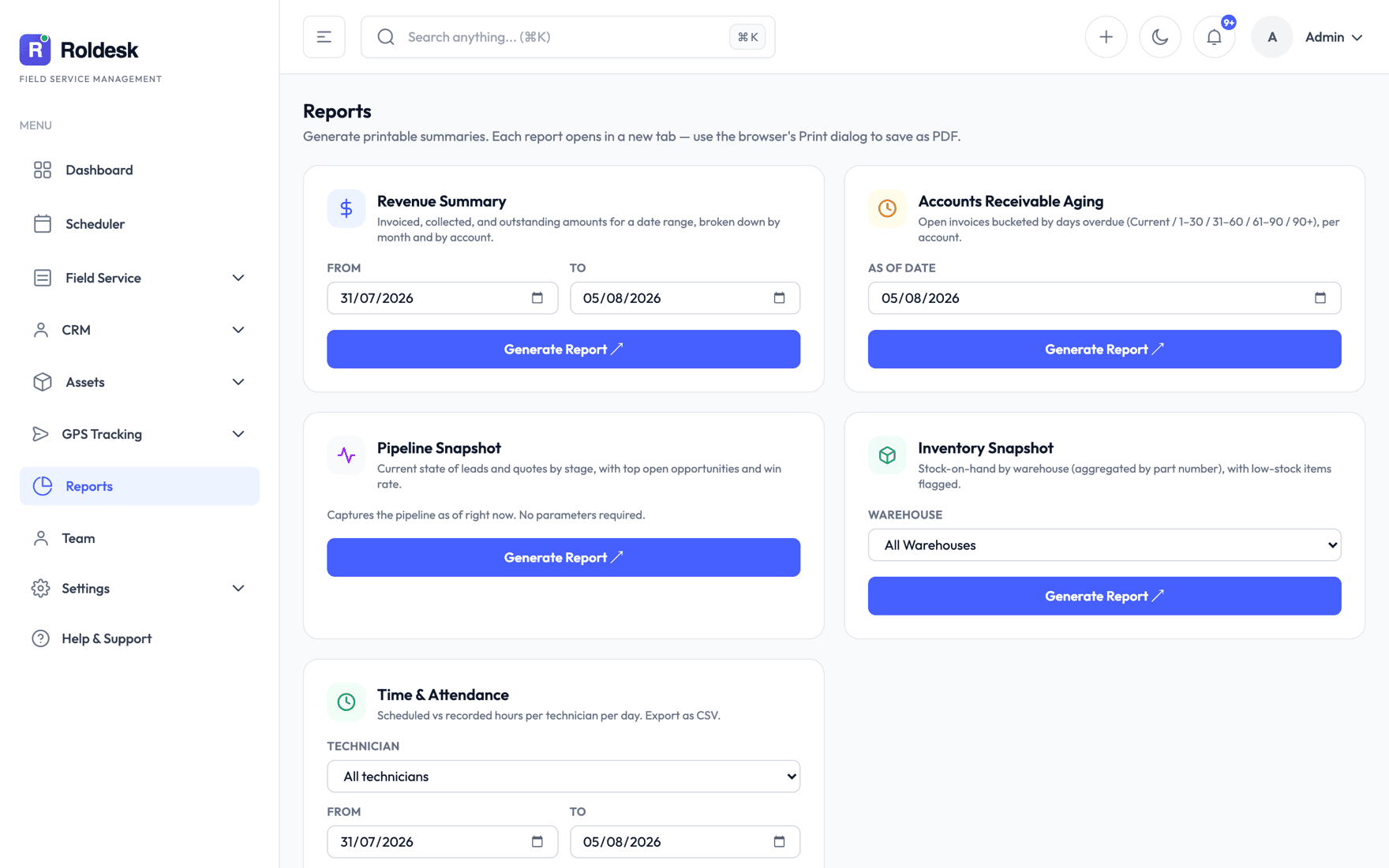
In the field
…and in your technicians’ pockets
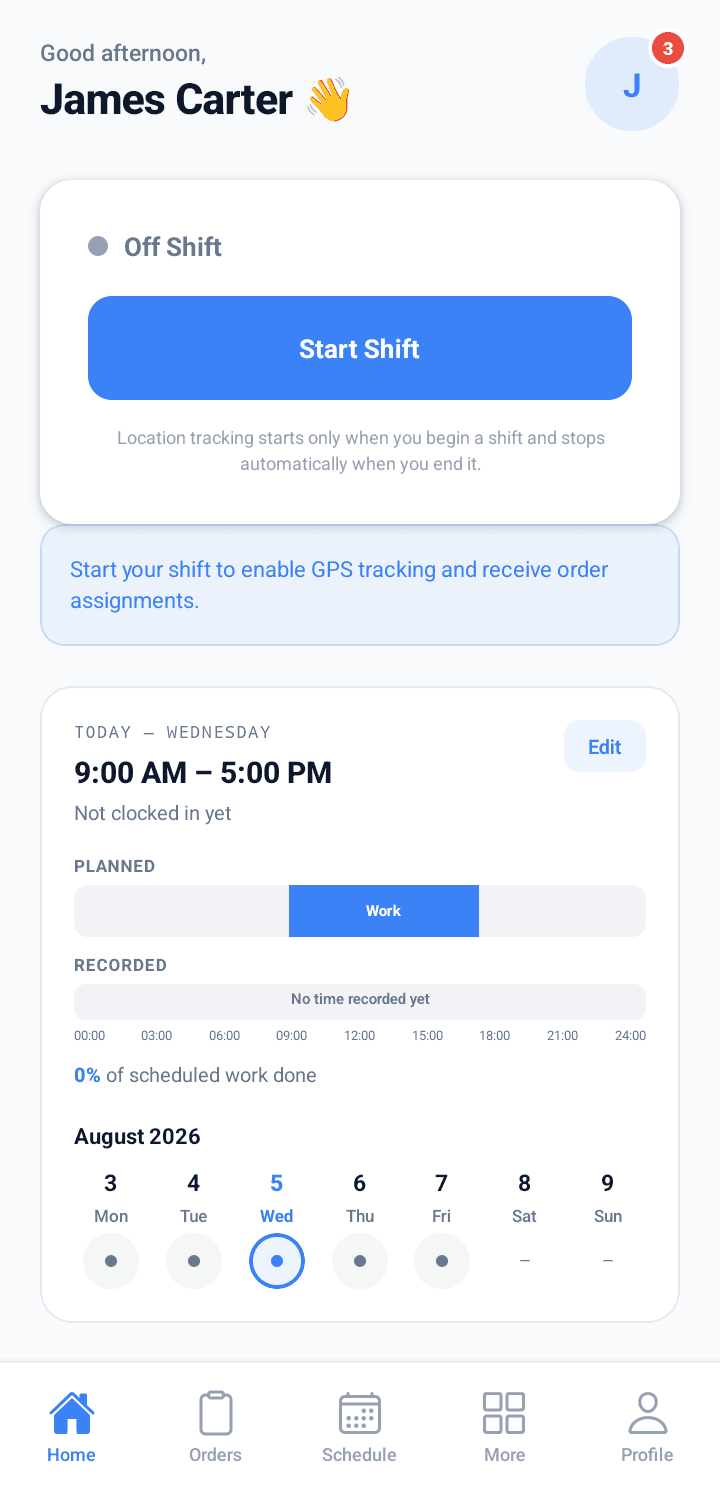
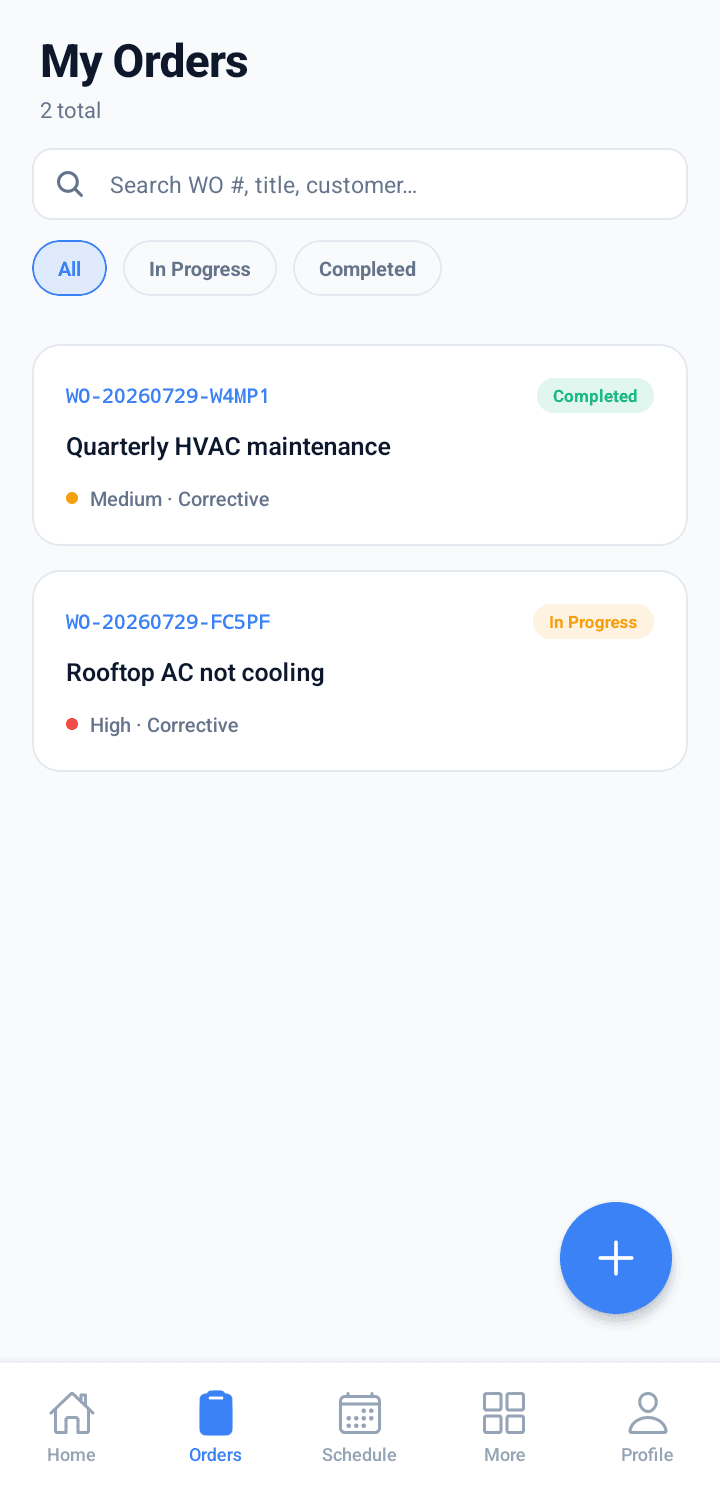
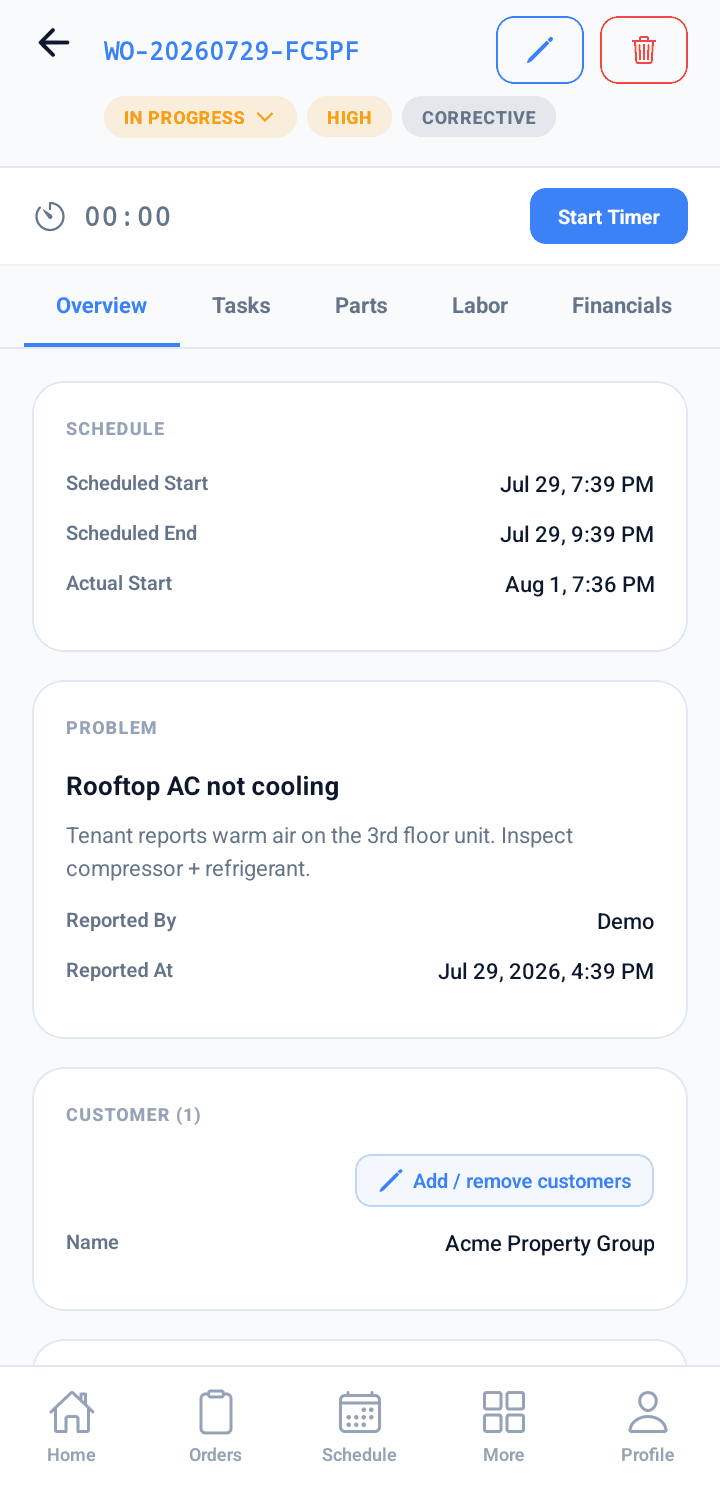
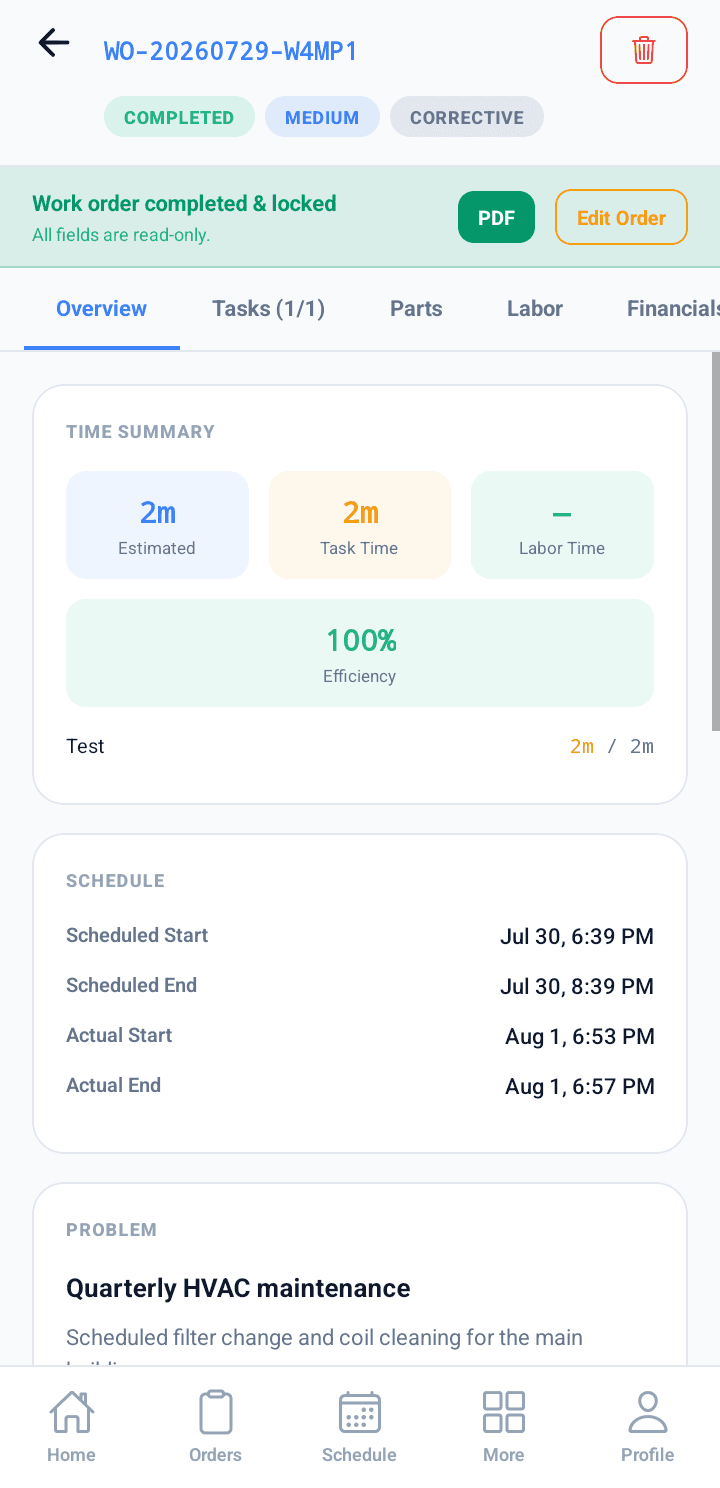
Time tracking, clock-in, schedules, work orders, inventory, contacts, tasks… all in a single app, synced with the backoffice.
Roldesk mobile
Take Roldesk to the field
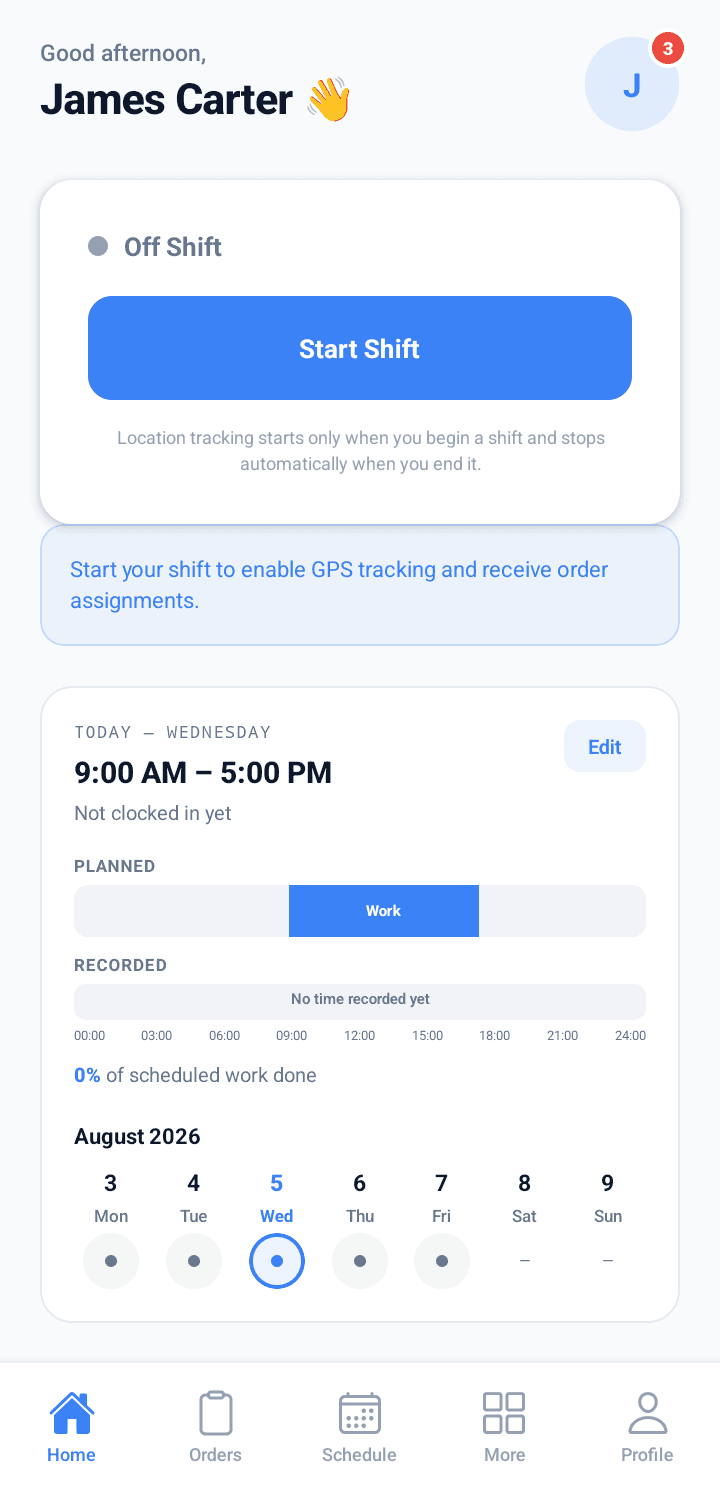
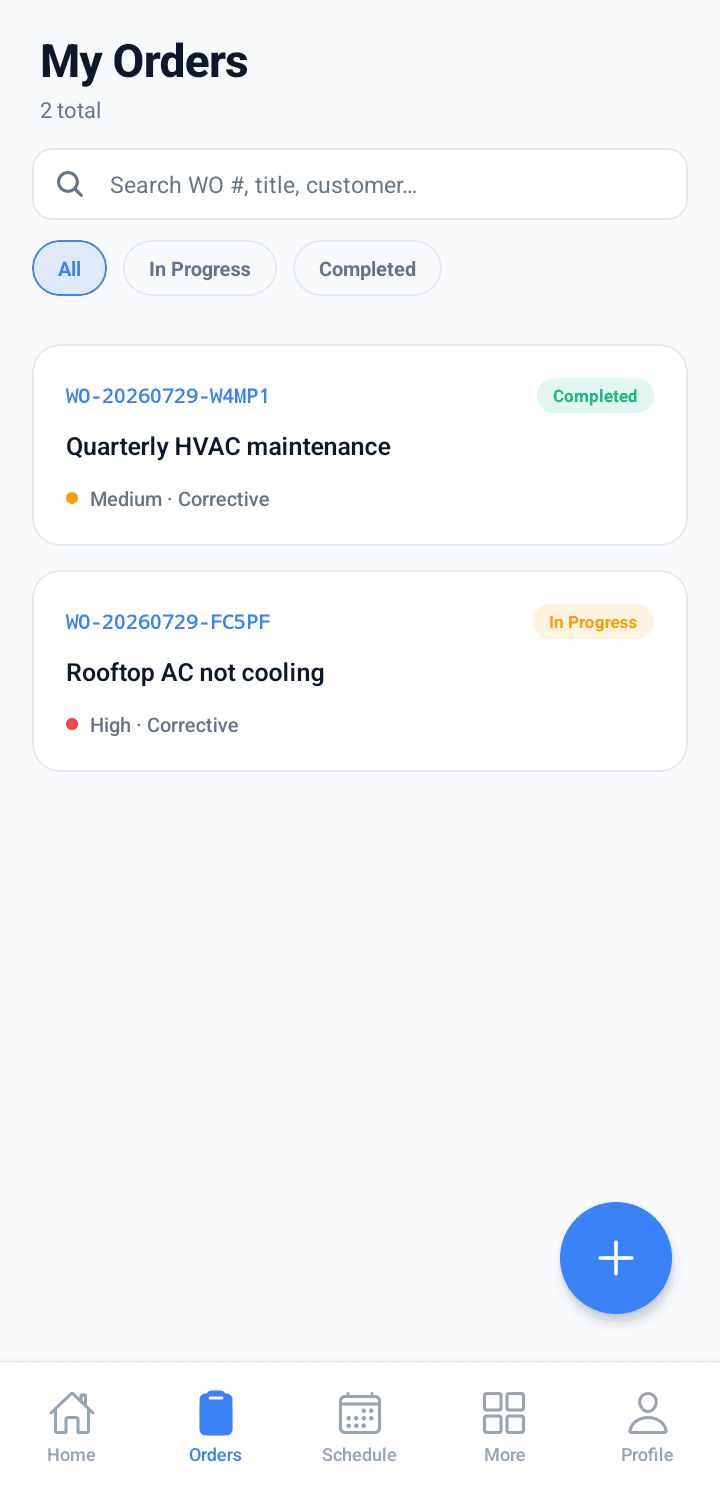
Your technicians carry everything they need for the day in the palm of their hand — assigned jobs, schedule, and shift — and every action syncs with the backoffice in real time.
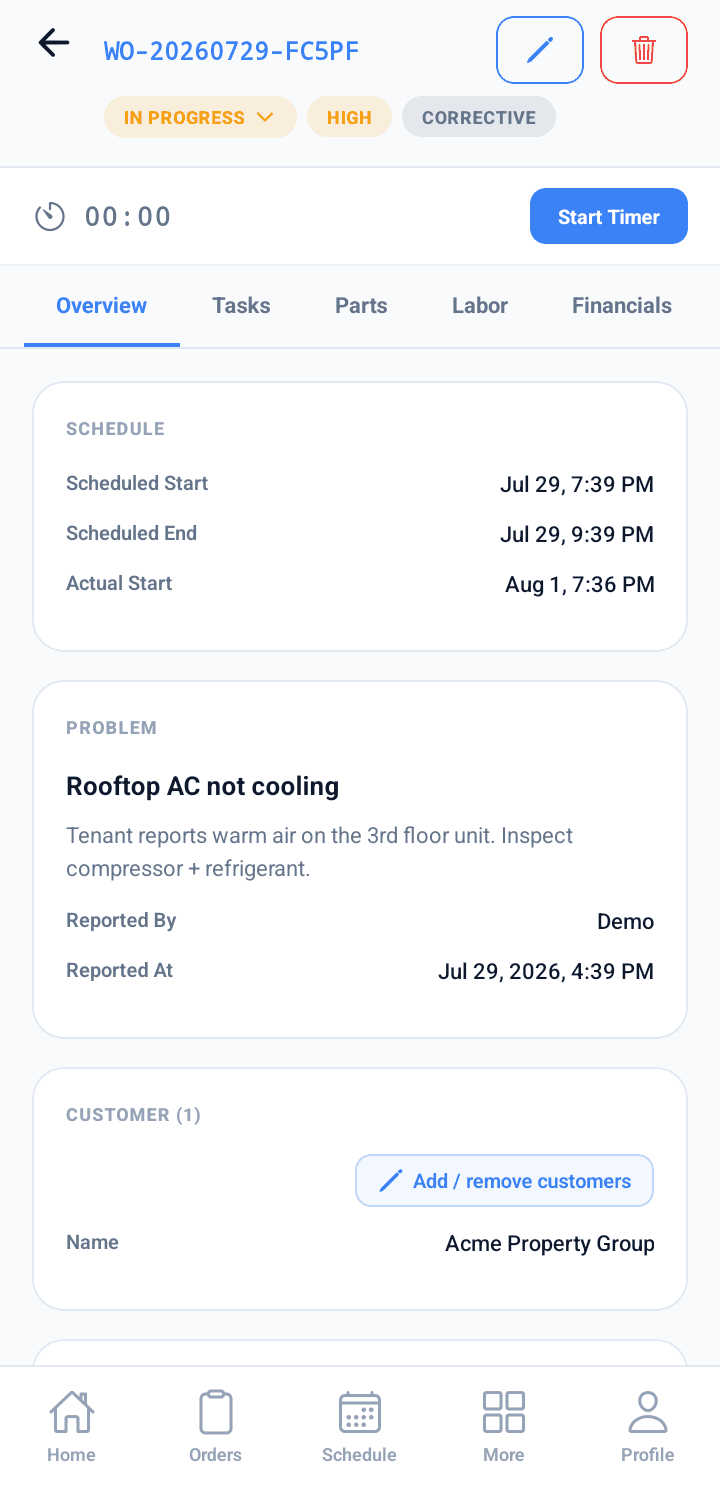
- See assigned work orders and update status on the go
- Log time, components, and photos — capture completion + signature on site
- Clock in/out with GPS shift tracking
- Instant push when a job is assigned, reassigned, or rescheduled
Pricing
Start free.
Grow into the features your company needs.
Every tier adds capability and seats. Start a 14-day free trial to try the whole suite — no card required.
Free
1 backoffice user + 1 mobile app license for field technicians — for solo operators.
- 1 office + 1 mobile seat
- Work orders + dispatch board
- Scheduler
- Full technician mobile app (offline, photos, time, signature)
Starter
1 backoffice user + 3 mobile app licenses for field technicians — for a small crew.
- 1 office + 3 mobile seats
- Everything in Free, plus:
- CRM — accounts, contacts, quotes, invoices
- Assets — equipment, vehicles, components, warehouses
- Reports
- Customer portal + branded PDFs
- Push notifications
Advanced
2 backoffice users + 7 mobile app licenses for field technicians — for a growing team.
- 2 office + 7 mobile seats
- Everything in Starter, plus:
- GPS tracking — live vehicle + technician location
- Projects — multi-work-order rollups
- White-label — custom domain + remove Roldesk branding
Professional
3 backoffice users + 10 mobile app licenses for field technicians — for an established fleet.
- 3 office + 10 mobile seats
- Everything in Advanced, plus:
- Preventive maintenance
- Bulk actions + CSV/XLSX import
- Advanced reports
- Route optimization + in-field quote signature
- API access
Custom
Tailored to your company’s specific needs.
New signups start on a 14-day free trial with every feature unlocked. When it ends, you keep going on the Free plan — no card required.
Stop juggling spreadsheets.
Start your 14-day free trial — no credit card required. When the trial ends, you keep going on the Free plan.
Contact
Or just send us a note
Sales, support, partnerships, or just curious — we'll reply within one business day. For a guided product walkthrough, schedule a demo instead.